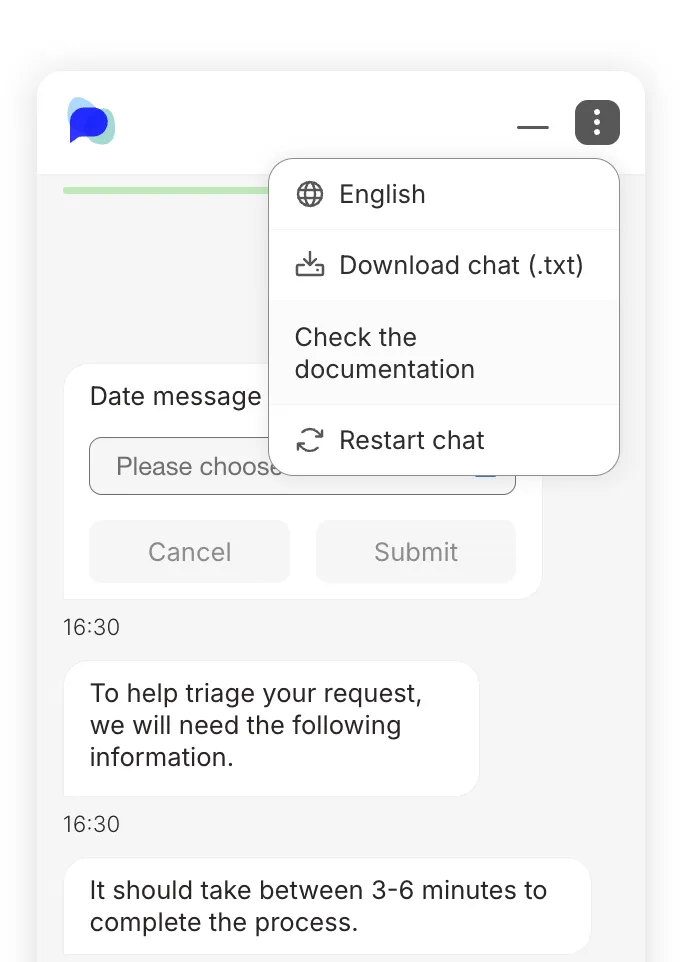
Additional menu links
You can optionally add some links for your customers to your Web Chat instance.
Embed code
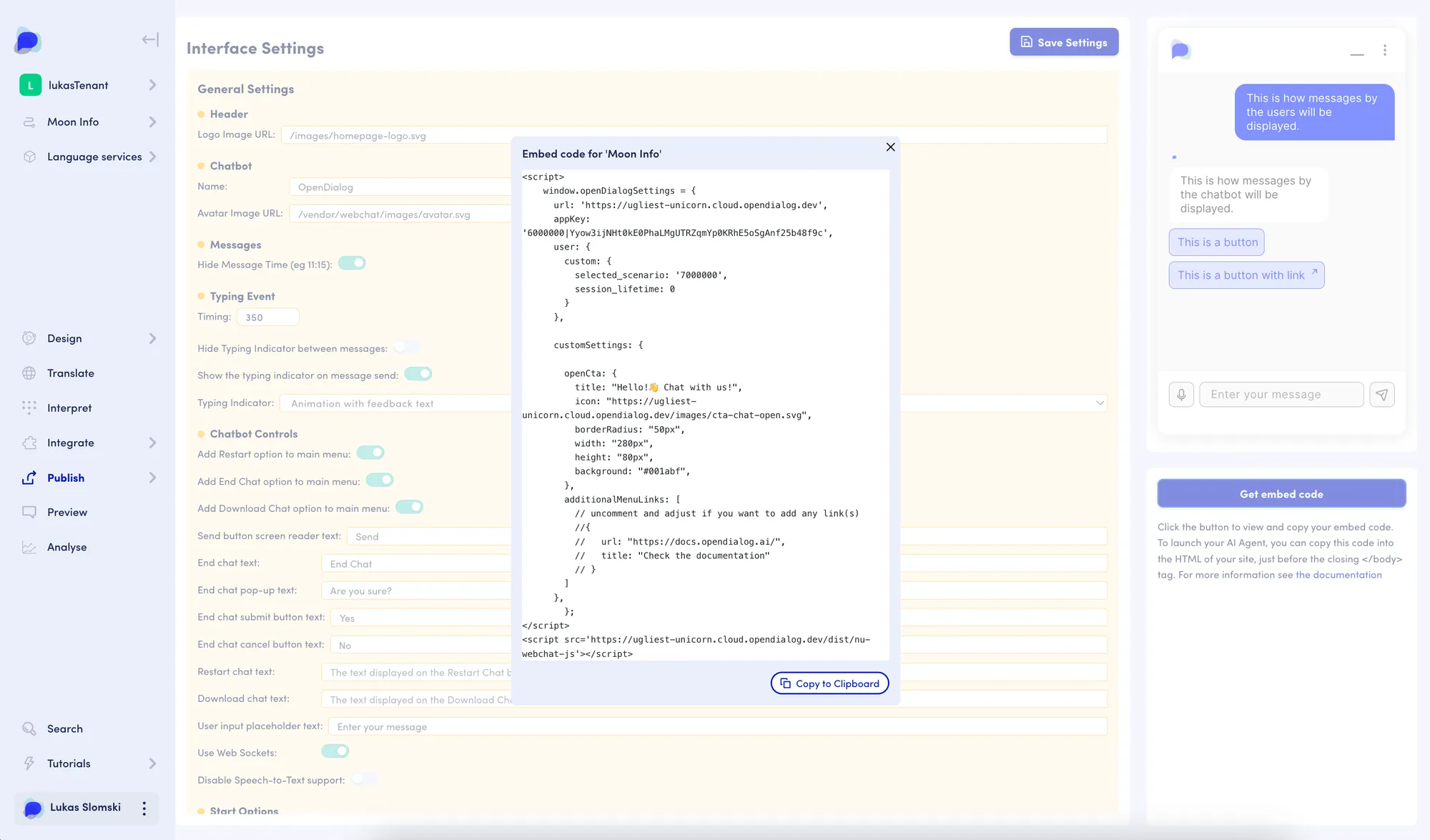
Section titled “Embed code”While creating your Web Chat instance based on the Embed code, you can uncomment the additionalMenuLinks exemplary section and edit it to add custom links to the menu. Provide objects with url and title for each link, and add as many entries as you need.
Web Chat
Section titled “Web Chat”In your Web Chat instance, you can check the link(s) in the “3-dots” menu and see that they are now available for your customers. The links appear in the order specified in the array, always below the Download chat.