# Conversations

Conversations represent the high-level goals or states of our scenario.

## Conversation settings

Settings include a conversation name, whether the conversation exhibits starting behavior, and selecting the default interpreter to use.
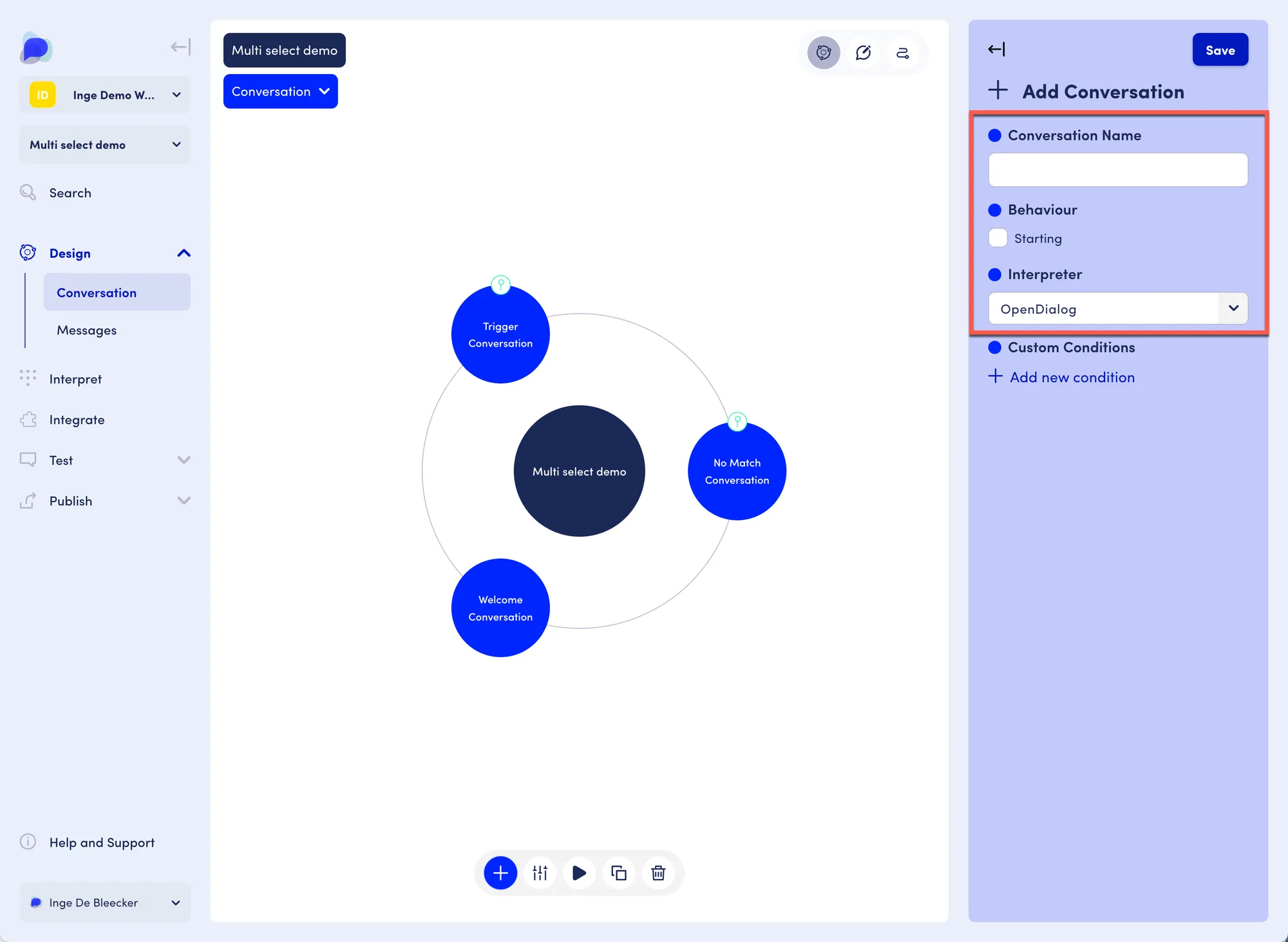
<figure><img src="/files/VcnqchRIW2kaZflN7pTj" alt=""><figcaption><p>Conversation settings</p></figcaption></figure>

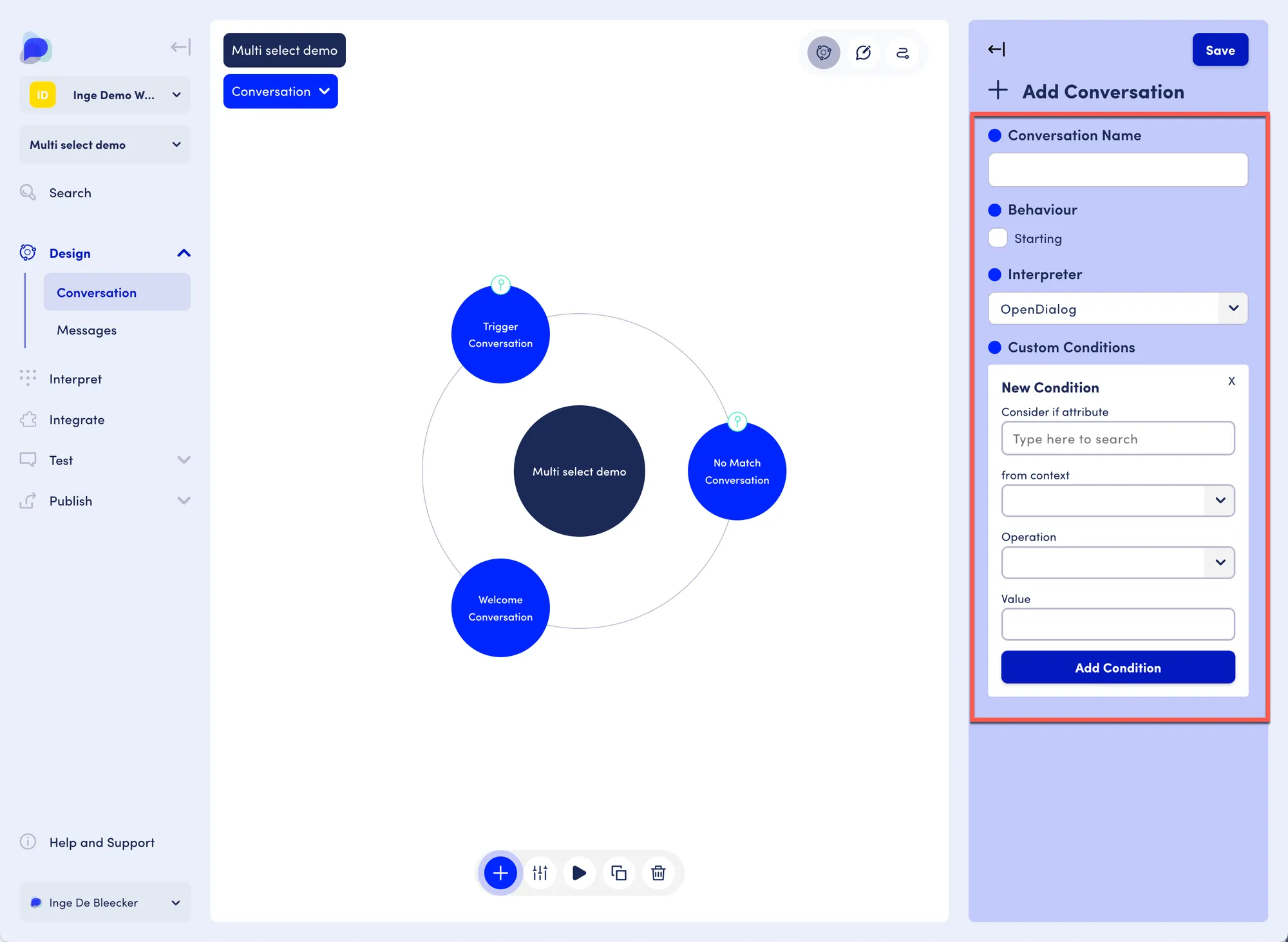
Clicking "Add new condition" opens the New Condition area:

<figure><img src="/files/DD9IhmrT6m8lO0QMG8MJ" alt=""><figcaption><p>Conversation settings expanded</p></figcaption></figure>

Conditions allow you to check values of attributes within contexts. The conversation will be considered if the conditions are met.

Example: imagine you are building an ecommerce scenario and you have unregistered and registered users. Registered users may get welcomes with different options, e.g. maybe they are shown some deals that unregistered users won't see. It may well be helpful to set up a conversation where the condition is that the user is recognized as a registered user while there is another conversation for unregistered users.

[Learn more about conditions here.](/core-concepts/contexts-and-attributes/conditions-and-operators.md)


---

# Agent Instructions: Querying This Documentation

If you need additional information that is not directly available in this page, you can query the documentation dynamically by asking a question.

Perform an HTTP GET request on the current page URL with the `ask` query parameter:

```
GET https://docs.opendialog.ai/core-concepts/the-opendialog-workspace/scenarios/conversations.md?ask=<question>
```

The question should be specific, self-contained, and written in natural language.
The response will contain a direct answer to the question and relevant excerpts and sources from the documentation.

Use this mechanism when the answer is not explicitly present in the current page, you need clarification or additional context, or you want to retrieve related documentation sections.