
Using JMESPath expressions
Use JMESPath expressions to map and transform JSON response from webhook action into the desired data structure.
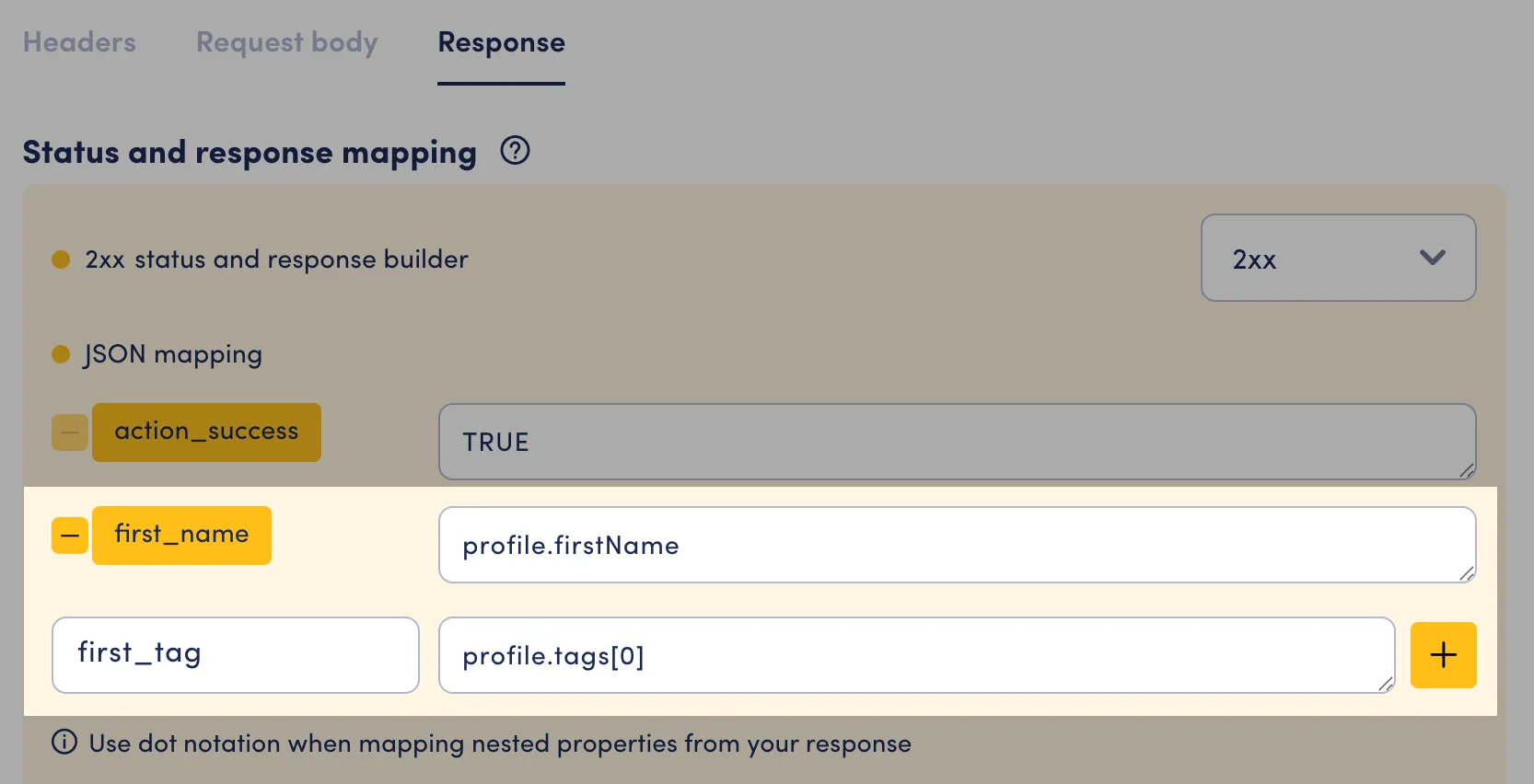
Be aware of the following:
- If your JMESPath expression is incorrect or points to non-existent fields, the output attribute value will be empty.
- If the resulting value of your JMESPath does not match the target attribute type, the attribute value will also be empty.
Resources on JMESPath:
Examples
Section titled “Examples”Custom function: json_decode(...)
Webhook V2 supports a custom JMESPath function called json_decode(...).
Use it when an API returns JSON inside a string field and you need to read values from that encoded object.
Without json_decode(...), string fields are treated as plain text and cannot be traversed with dot notation.
Syntax:
json_decode(<json_string_field>)You can combine it with normal JMESPath traversal, for example:
json_decode(payload).order.statusIf the string is not valid JSON, the result is treated as empty for mapping purposes.
Example: extract values from a JSON-encoded field
| Input JSON | JMESPath |
|---|---|
| Expression: |
Example: decode and return multiple fields
| Input JSON | JMESPath |
|---|---|
| Expression: |
Select a Single Field
| Input JSON | JMESPath |
|---|---|
| Expression: |
Access Nested Fields
| Input JSON | JMESPath |
|---|---|
| Expression: |
Select Multiple Fields
| Input JSON | JMESPath |
|---|---|
| Expression: |
Select all array element’s properties
| Input JSON | JMESPath |
|---|---|
| Expression: |
Filter array by condition
| Input JSON | JMESPath |
|---|---|
| Expression: |
Select root-level array
| Input JSON | JMESPath |
|---|---|
| Expression: |
Use bult-in functions
| Input JSON | JMESPath |
|---|---|
| Expression: |
Select array elements for a form message with dynamic data
Section titled “Select array elements for a form message with dynamic data”You can create a from message with dynamic data retrieved from a webhook action. For example:
| Input JSON | JMESPath |
|---|---|
| Expression: |
This can then be used as a data source for your searchable select in a form message.