
Public APIs
OpenDialog provides a comprehensive set of Public APIs that allow you to programmatically interact with your OpenDialog workspace. These APIs enable you to manage knowledge services, retrieve user interaction data, export user information, and generate webchat deep links.
Please see our postman collections of the API for further information.
Authentication
Section titled “Authentication”All Public API endpoints require authentication using a Bearer Token. To access these APIs, you must include a valid API token in the Authorization header of your requests.
Bearer Token Authentication
Section titled “Bearer Token Authentication”When making requests to the Public API endpoints, include your authentication token in the request header:
Authorization: Bearer YOUR_API_TOKENObtaining an API Token
Section titled “Obtaining an API Token”To access your bearer token visit the Identity & Security page - accessible by clicking on your username in the bottom left-hand corner.
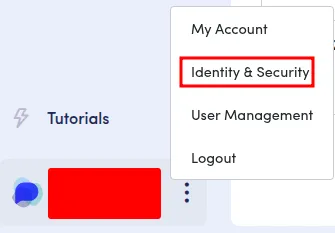
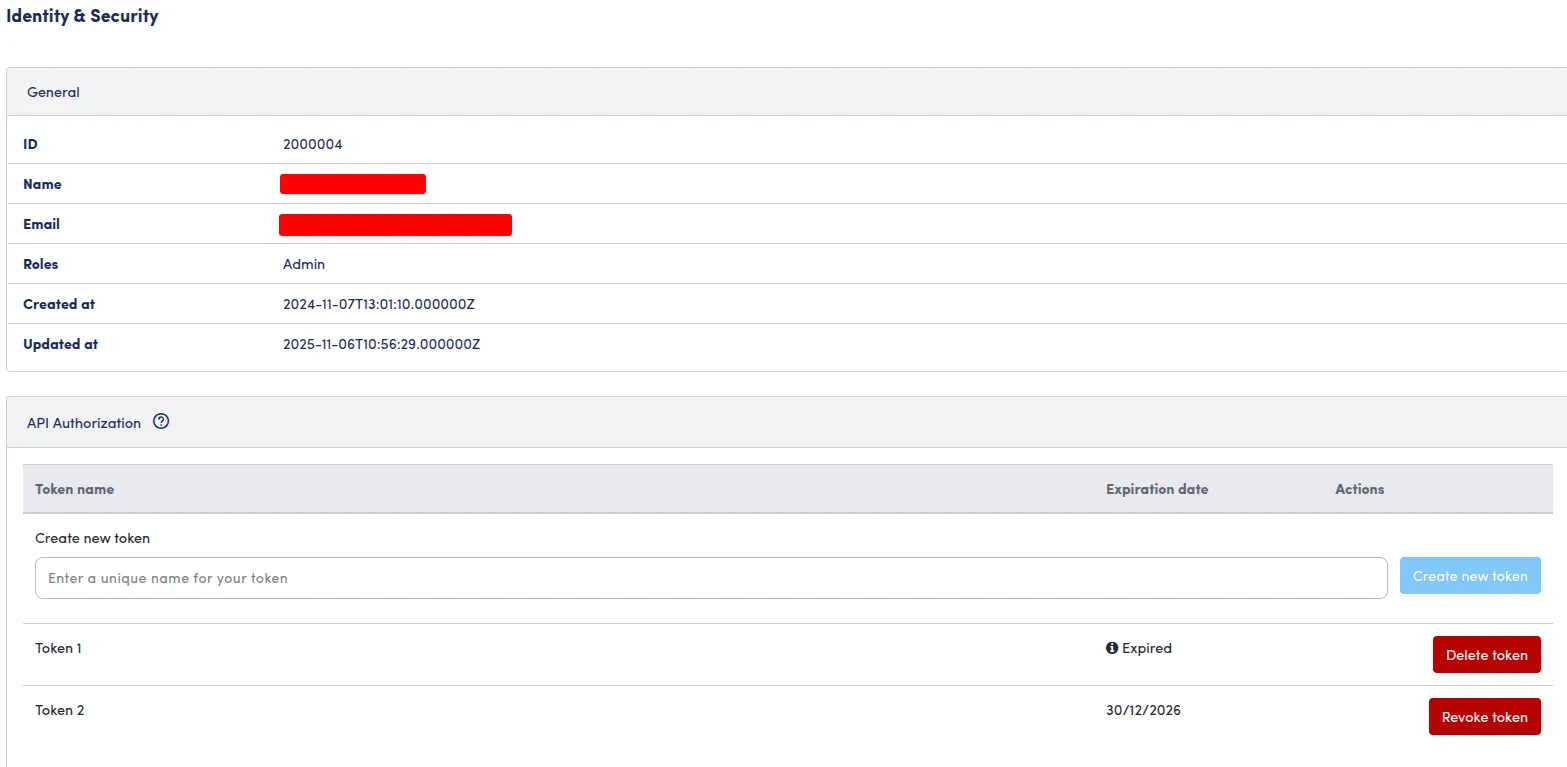
Important Security Notes:
- Keep your API tokens secure and never expose them in client-side code
- API tokens have the same permissions as the user who created them
- Rotate tokens regularly as part of your security best practices
- Revoke tokens immediately if they are compromised
- Tokens have a limited, configured lifetime. If the token has expired, that will be shown in this dashboard.
Base URL
Section titled “Base URL”All API requests should be made to:
https://{your-workspace}.cloud.opendialog.ai/public/apiReplace {your-workspace} with your actual workspace name.
API Categories
Section titled “API Categories”The OpenDialog Public APIs are organized into three main categories:
Knowledge Service APIs
Section titled “Knowledge Service APIs”Manage knowledge services and language processor configurations, including topics and topic sources. These APIs allow you to programmatically configure and manage the AI/NLU components of your conversational applications.
Read more about Knowledge Service APIs →
User Interactions APIs
Section titled “User Interactions APIs”Retrieve and export user interaction data and conversation history. These APIs provide access to user messages, conversation logs, and enable comprehensive data exports for analysis and compliance purposes.
Read more about User Interactions APIs →
User Data Export APIs
Section titled “User Data Export APIs”Retrieve and export user user data and conversation history. These APIs provide access to user messages, conversation logs, and enable comprehensive data exports for analysis and compliance purposes.
Read more about User Data Export APIs →
Webchat Deep Link APIs
Section titled “Webchat Deep Link APIs”Generate personalized webchat URLs with pre-populated user attributes. This enables seamless user experiences by creating direct links to conversations with context already established.
Read more about Webchat Deep Link APIs →
Response Format
Section titled “Response Format”All API responses follow a consistent JSON format. Successful requests return appropriate HTTP status codes (200, 201, 204) along with the requested data or confirmation. Error responses include error messages and appropriate HTTP error codes.
Rate Limiting
Section titled “Rate Limiting”Some endpoints may have rate limiting applied to prevent abuse and ensure system stability. Rate limit information is included in response headers when applicable.
Support
Section titled “Support”For questions, issues, or feedback about the Public APIs, please contact support or visit our community resources.